How to Use ChatGPT for Blogging
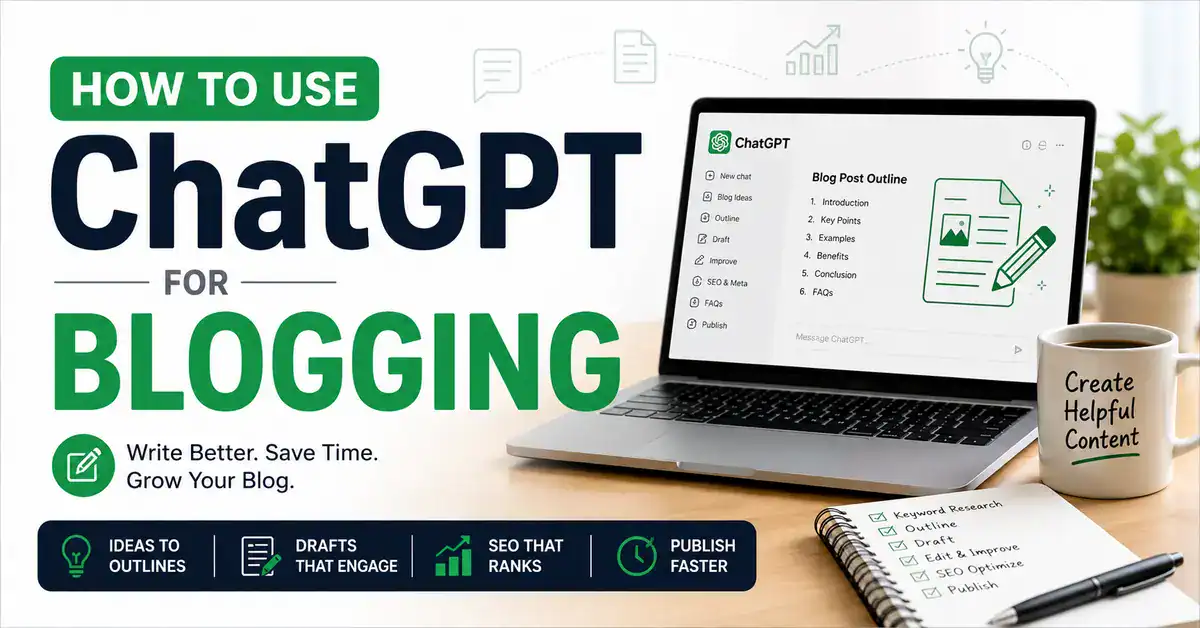
How to Use ChatGPT for Blogging isn’t about letting AI write entire blog posts for you. After using ChatGPT extensively while building BestOfGuru.in, I’ve found that it works best as a blogging assistant that helps me brainstorm ideas, create outlines, improve drafts, and speed up my publishing workflow while I remain responsible for the strategy, experience, and final editing.
Blogging sounds easy until you actually sit down to do it.
You have to pick the right topic, find the right keywords, write an outline, write the actual article, edit it, add SEO elements, and then finally hit publish. And by the time you’re done with one article, you’re already behind on the next three.
I was spending 6 to 8 hours on a single blog post. Most of that time was staring at a blank screen, trying to figure out where to start.
That’s when I started using ChatGPT for blogging, and it completely changed how I publish content on BestOfGuru.in.
In this article, I’m going to share exactly how I use ChatGPT in my blogging workflow. Not vague tips. My actual process, step by step, with real prompts I use.
One thing I want to be clear about upfront: ChatGPT helps me create content faster, but it does not replace my expertise. Every article I publish goes through manual review, includes my personal experience, and features real examples from things I’ve actually tested. ChatGPT is my assistant; I’m still the blogger.
Quick Takeaway — How I Use ChatGPT for Blogging
✅ Brainstorm blog topics and validate ideas
✅ Build detailed article outlines
✅ Draft content section by section
✅ Improve readability and clarity
✅ Generate SEO titles, meta descriptions, and FAQs
✅ Add my own experience, screenshots, and examples
✅ Review everything manually before publishing
What Is ChatGPT and Why Bloggers Use It?
ChatGPT is an AI assistant that helps bloggers brainstorm ideas, organize content, draft articles, improve readability, and create SEO elements such as titles and FAQs. It works best as a writing assistant rather than a replacement for human expertise.
ChatGPT as a Blogging Assistant
ChatGPT is an AI tool made by OpenAI that can understand your questions and generate detailed, human-like responses. For bloggers, it acts like a writing assistant that’s available 24/7 and never gets writer’s block.
You give it a prompt, basically an instruction, and it generates content based on what you asked. The more specific your prompt, the better the output.
What ChatGPT Can Help Bloggers Do
Here’s what I regularly use ChatGPT for in my blogging workflow:
- Blog ideas — generating topic lists based on my niche
- Keyword brainstorming — finding related terms and questions my audience might search for
- Outlines — creating a structured plan before I start writing
- Drafts — writing section-by-section content that I then edit
- Headlines — coming up with multiple title options to test
- Meta descriptions — writing click-worthy summaries for Google
- FAQs — generating common questions readers might have
- Content updates — refreshing older articles with new information
What ChatGPT Cannot Replace
I want to be honest about this because I see a lot of bloggers get this wrong.
ChatGPT cannot replace:
- Personal experience — I have never actually used the tools or tested the methods you’re writing about
- Testing — it doesn’t know what works in your specific niche or market
- Original opinions — it gives generic answers; your unique take is what makes readers trust you
- Case studies — real data from your own results is irreplaceable
- Fact-checking — ChatGPT can be confidently wrong; always verify important claims
My takeaway: After using ChatGPT extensively for BestOfGuru.in, I’ve found that the biggest difference between an average AI-assisted article and a high-quality one is the amount of human input. The more personal experience, testing, and original insights I add, the more useful the final article becomes for readers.
How to Use ChatGPT for Blogging: My Personal Workflow
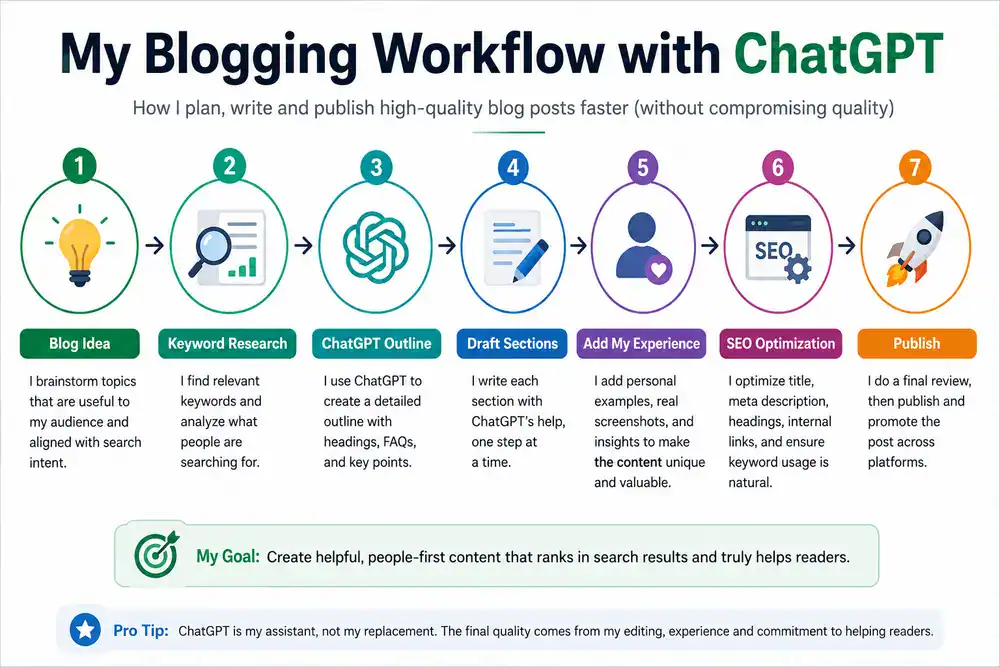
This is the section where I want to give you actual insight into how I use ChatGPT when publishing on BestOfGuru.in not theory, just what I actually do.
My blog targets Indian beginners in the blogging, SEO, and online income space. Most of my readers are just starting, so I need content that’s clear, practical, and honest. ChatGPT helps me produce that content faster, but every article is manually reviewed before it goes live.
Here’s my exact workflow:
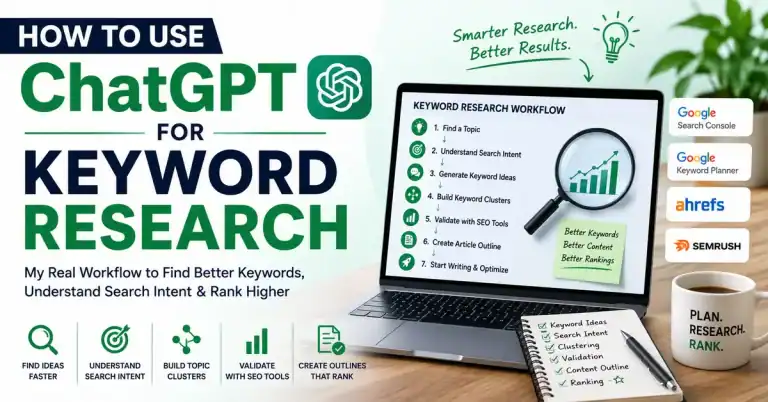
- Keyword research — I use Google Search Console and keyword tools to find what people are actually searching for. ChatGPT doesn’t do this part — I need real data.
- Search intent — I figure out what kind of article the searcher wants (beginner guide, comparison, how-to, etc.). I ask ChatGPT to help me understand the angle.
- Outline creation — I ask ChatGPT to create a detailed outline based on my keyword and intent. I then edit that outline heavily before proceeding.
- First draft — I prompt ChatGPT section by section (more on this below). Never the whole article at once.
- Add personal experience — This is the most important step. I go back through the draft and add things ChatGPT cannot know: my own results, opinions, and context specific to Indian audiences, like INR pricing or regional platforms.
- Add screenshots — Any article I publish includes real screenshots from tools I’ve tested myself.
- Internal links — I manually add links to related articles on BestOfGuru.in.
- SEO optimization — I use a plugin to check keyword placement, meta description, slug, and readability.
- Final editing — I read the entire article aloud to catch anything that sounds robotic or off.
- Publish — Only after all of the above is done.
ChatGPT probably saves me 2 to 3 hours per article. But the article still takes real effort. I’m not copy-pasting AI output and calling it a day.
How to Use ChatGPT for Blogging Step by Step
Step 1: Find Blog Topic Ideas
This is where most bloggers get stuck. You know you need to publish, but you don’t know what to write about.
Example prompts to try:
“Give me 20 blog post ideas for beginners who want to start a blog in India and make money online.”
“What are the most common questions beginners have about WordPress blogging in Hindi?”
“Suggest 10 blog post topics about ChatGPT for someone who runs a beginner blogging website in India.”
ChatGPT will give you a raw list. Some ideas will be great, some will be useless. Pick the ones that match what your audience is actually searching for. Always validate with keyword data before you commit to a topic.
Step 2: Create a Detailed Outline
Once I have my topic and keyword locked in, I ask ChatGPT to build me an outline.
Example prompts:
“Create a detailed blog post outline for the keyword ‘how to use ChatGPT for blogging’. The audience is Indian beginners. Include H2 and H3 headings, a FAQ section, and a conclusion.”
“I’m writing an article about [topic] for beginner bloggers. Give me a long-form outline with sections covering what it is, how to use it step by step, pros and cons, common mistakes, and FAQs.”
The outline ChatGPT gives you is a starting point, not a final plan. I always restructure it based on what I know my readers actually need.
Step 3: Write the First Draft
Here’s one of the most important things I learned about using ChatGPT for writing: do not ask it to write the entire article in one go.
When you prompt it all at once, you get generic, shallow content that sounds like it was copied from Wikipedia. The AI is trying to cover too much at once and ends up covering nothing well.
Instead, I prompt it section by section:
“Write the introduction for my article about ‘how to use ChatGPT for blogging’. The tone should be conversational and honest. The audience is beginner bloggers in India. Keep it under 150 words and explain why blogging is time-consuming before introducing ChatGPT as a solution.”
Then for each H2 section:
“Now write the section under the heading ‘What ChatGPT Can Help Bloggers Do’. Make it a practical list with short explanations for each item. Keep the tone casual and beginner-friendly.”
This approach gives you much better output that actually sounds like a real person wrote it.
Step 4: Improve Readability
Once I have a draft, I ask ChatGPT to help me clean it up.
Before (ChatGPT first draft):
“The utilization of artificial intelligence tools in content creation workflows has demonstrated significant potential for increasing productivity among digital content creators operating in competitive online environments.”
After (improved version):
“Using AI tools like ChatGPT can seriously speed up your content creation especially if you’re a solo blogger trying to keep up with a publishing schedule.”
Prompt I use:
“Rewrite this paragraph in a simpler, more conversational tone. The reader is a beginner blogger in India. Avoid jargon. Keep it under 3 sentences.”
Step 5: Generate SEO Elements
After the draft is ready, I use ChatGPT to help with the SEO pieces:
SEO Title:
“Write 5 SEO-friendly blog post titles for the keyword ‘how to use ChatGPT for blogging’. Include a power word and the year 2026 in at least two of them.”
Meta Description:
“Write a meta description for a blog post about how to use ChatGPT for blogging. Keep it under 160 characters. Include the focus keyword naturally.”
FAQs:
“Generate 6 frequently asked questions with short answers for a blog post about using ChatGPT for blogging. Target beginner bloggers.”
Slug ideas:
“Suggest 3 URL slug options for a blog post with the focus keyword ‘how to use ChatGPT for blogging’.”
Step 6: Human Editing
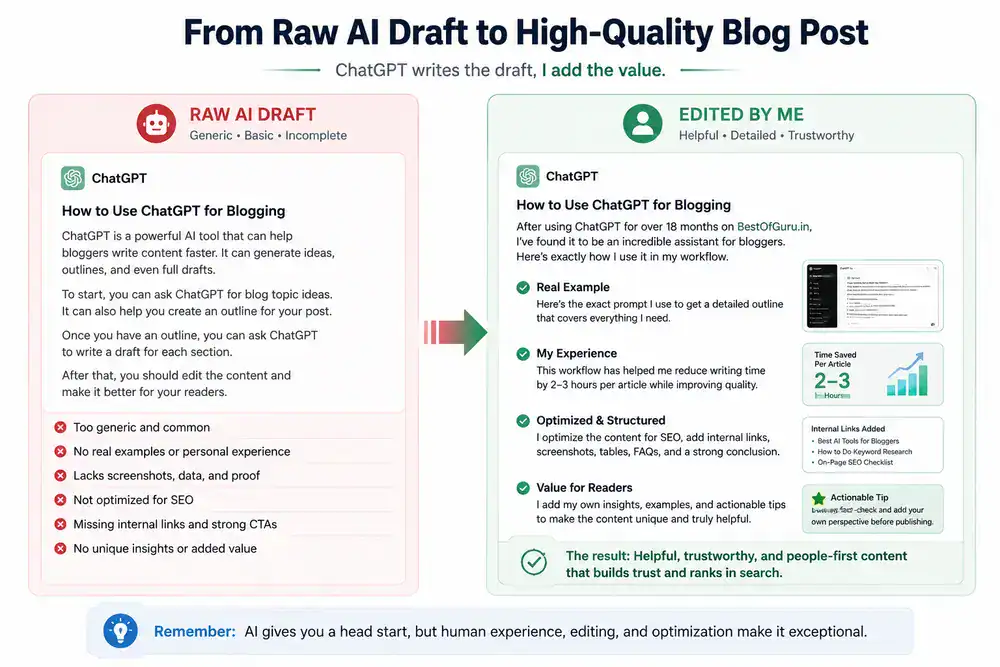
This step cannot be skipped. Ever.
After ChatGPT gives me a draft, I go through the entire article and add:
- Personal insights — Things I’ve actually noticed or experienced when using the tool
- Real screenshots — From my own testing, not stock images
- India-specific examples — INR pricing, Indian platforms, examples that make sense for my audience
- My honest opinion — What actually works, what doesn’t, what I would do differently
The article only gets published once it sounds like me, not like a robot.
Real Example From My Blogging Workflow

Let me walk you through how I used ChatGPT to write the article “How to Use ChatGPT for Writing” on BestOfGuru.in.
My original prompt (outline stage):
“Create a detailed outline for a blog post titled ‘How to Use ChatGPT for Writing’. Target audience: beginner bloggers in India who want to write better articles faster. Include H2 and H3 sections, a step-by-step guide, tips, common mistakes, and FAQs.”
What I got: A solid 10-section outline covering what ChatGPT is, how writers can use it, prompts to try, limitations, and FAQs.
What I edited: I removed two generic sections, added a section on “writing in a bilingual blogging context,” and restructured the step-by-step section to match my actual process.
The AI draft: I prompted each section separately. The first draft was about 70% usable.
My manual edits: I rewrote the introduction entirely (the AI version was too formal), added three personal examples from my own blog, inserted screenshots, and adjusted the FAQ answers to sound more natural.
Final result: An article that reads as I wrote it because I did, with AI assistance on the structure and first draft.
Blogging Tasks ChatGPT Can Handle
| Task | ChatGPT Handles It? | Human Review Needed |
|---|---|---|
| Blog Ideas | ✅ Yes | Low |
| Outline | ✅ Yes | Medium |
| First Draft | ✅ Yes | High |
| SEO Title | ✅ Yes | Medium |
| Meta Description | ✅ Yes | Medium |
| FAQs | ✅ Yes | Medium |
| Publishing | ❌ No | Human Only |
The pattern here is clear: ChatGPT can generate, but a human has to evaluate and improve. The more important the content is to your credibility (like the draft itself), the more human review it needs.
Best ChatGPT Prompts for Bloggers
Here are the prompts I actually use. Copy them, adjust for your niche, and test:
Blog ideas:
“Give me 15 blog post topic ideas for [your niche]. The audience is beginner in India. Focus on topics that answer common questions.”
Outline:
“Create a long-form blog post outline for the keyword ‘[your keyword]’. Include H2 and H3 sections, a step-by-step guide, an FAQ section, and a conclusion.”
Introduction:
“Write a blog post introduction for ‘[topic]’. Tone: conversational, honest, and beginner-friendly. Start with the reader’s problem, then introduce the solution. Under 150 words.”
Conclusion:
“Write a conclusion for my blog post about ‘[topic]’. Summarize the main points, encourage the reader to take action, and keep it under 100 words.”
FAQ:
“Generate 6 FAQ questions and answers for a blog post about ‘[topic]’. Keep answers short (2-3 sentences). Target beginner readers.”
SEO title:
“Write 5 blog post title options for the keyword ‘[keyword]’. Include a power word. At least 2 titles should include the year 2026.”
Meta description:
“Write a meta description for a post about ‘[topic]’. Under 155 characters. Include the keyword ‘[keyword]’ naturally.”
Content improvement:
“Rewrite this section in simpler language. Target audience: beginners. Remove jargon. Keep the same information, but make it easier to understand. [Paste your text].”
Common Blogging Mistakes When Using ChatGPT
I’ve made most of these mistakes myself. Learn from them:
1. Publishing without editing: The biggest mistake. ChatGPT output needs to be reviewed, rewritten in places, and improved. Publishing raw AI content is a fast way to lose reader trust.
2. Copying AI output word-for-word, AI writing is generic by default. If you paste it directly, your article sounds like every other AI-generated post on the internet.
3. Adding no personal experience. This is what separates a good article from a great one. Readers want your perspective, not just a summary of facts.
4. Ignoring SEO ChatGPT doesn’t automatically write for your focus keyword. You have to direct it and then check keyword placement yourself.
5. Using weak prompts, “Write a blog post about ChatGPT” will give you a terrible result. Be specific about your audience, tone, word count, and what sections you want.
6. Not fact-checking ChatGPT can generate statistics, dates, and claims that sound confident but are completely wrong. Always verify anything factual before publishing.
Blogging Tips That Improved My Results
These are lessons I learned the hard way over the past year of using ChatGPT for BestOfGuru.in:
Build the outline first, always. Never start writing before you have a clear structure. The outline is where your thinking happens — not the draft.
Write section by section. I cannot stress this enough. One prompt per section, not one prompt for the whole article.
Add screenshots. Readers trust articles with real screenshots. It proves you actually tested what you’re writing about.
Use your own examples. Generic examples are forgettable. Examples from your own blog, your own audience, your own market — those are what readers remember.
Update articles regularly. I use ChatGPT to help me update older content on BestOfGuru.in. I give it the existing article and ask: “What sections are outdated and what should I add?”
Use AI as an assistant, not a ghostwriter. The moment you start thinking of ChatGPT as the one doing the work, your content quality drops. You are the blogger. ChatGPT is helping you be a better one.
Pros and Cons of Using ChatGPT for Blogging
Pros
- Saves time — A significant reduction in time spent on first drafts and SEO elements
- Beats writer’s block — Always has something to say, even when you’re stuck
- Generates ideas quickly — Topic brainstorming that would take an hour takes minutes
- Consistent structure — Helps you create well-organized outlines every time
- Available 24/7 — No waiting, no scheduling, no delays
- Works across tasks — Outlines, drafts, FAQs, meta descriptions, all in one tool
- Good for beginners — Helps new bloggers understand what a well-structured article looks like
Cons
- Generic output by default — Needs detailed prompting and heavy editing to sound unique
- Can be confidently wrong — Produces incorrect information without flagging it
- No real experience — Cannot write from genuine personal testing or expertise
- No SEO awareness — Doesn’t know your keyword strategy unless you explain it
- Overused by low-quality blogs — Raw AI content is easy to spot, and readers are getting better at identifying it
- Needs a good prompt — The quality of your output depends entirely on the quality of your input
Does Google Allow Bloggers to Use AI?
This is the question I get asked most. The short answer: yes, but with conditions.
Google’s Helpful Content guidelines focus on whether the content is genuinely helpful to readers, not on how it was produced. AI-assisted content is allowed as long as it demonstrates expertise, experience, authority, and trustworthiness (known as EEAT).
What Google penalizes is content that is:
- Generated purely for search rankings with no value to readers
- Thin, generic, or lacking original insight
- Written without any human review or editorial judgment
If you use ChatGPT to help you write faster, add your real experience to the article, review everything before publishing, and produce something that genuinely helps your reader, you are well within Google’s guidelines.
The bloggers who get penalized are the ones publishing bulk AI content with no human involvement. That’s not what this guide is about.
Related ChatGPT Guides on BestOfGuru.in
If you found this useful, here are the other guides in this series:
- How to Use ChatGPT — The complete beginner’s guide
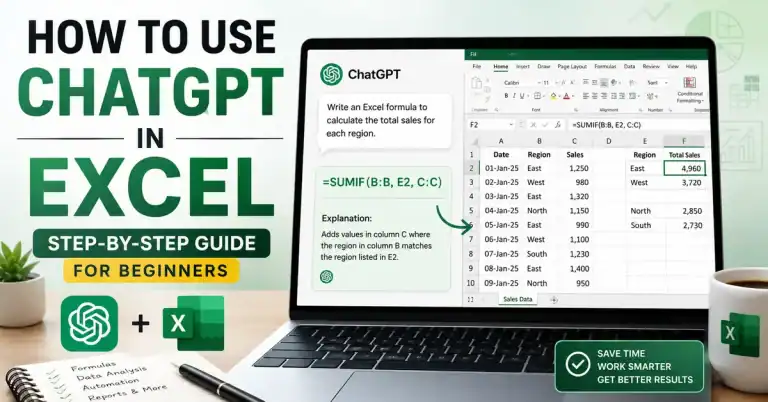
- How to Use ChatGPT in Excel — Save hours on spreadsheet work
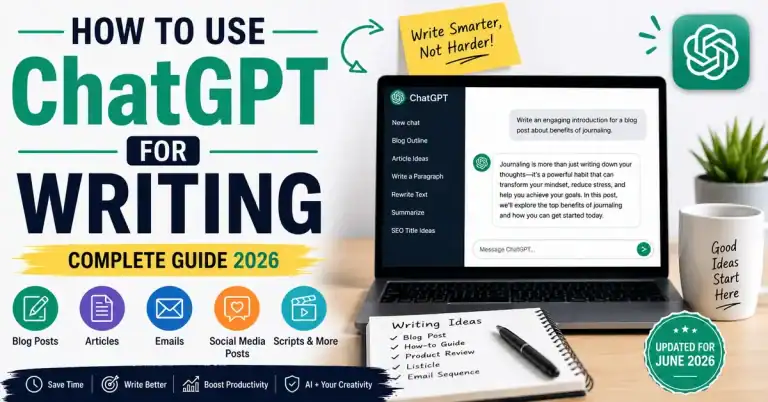
- How to Use ChatGPT for Writing — Better articles, faster
Coming soon:
- How to Use ChatGPT for SEO
- Best ChatGPT Prompts for Bloggers
FAQs
Can ChatGPT write blog posts?
Yes, ChatGPT can write blog posts, but the output needs significant human editing before it’s ready to publish. It works best as a first-draft tool, not a finished-content generator.
Is ChatGPT good for blogging?
Yes, it’s one of the best tools available for bloggers right now, especially for speeding up outlines, drafts, and SEO elements. But it works best when combined with your personal experience and editorial judgment.
Does Google penalize AI blog content?
Google does not penalize AI-assisted content. What Google penalizes is low-quality, unhelpful content, regardless of how it was written. If your AI-assisted articles are genuinely helpful and reviewed by a human, they are eligible to rank.
Can beginners use ChatGPT for blogging?
Absolutely. Beginners can benefit the most because ChatGPT helps them understand what a well-structured article looks like. Use it to learn as much as to produce.
Can ChatGPT help with SEO?
Yes. ChatGPT can help you write SEO titles, meta descriptions, FAQs, and even suggest related keywords. However, it doesn’t replace dedicated SEO tools like Ahrefs, Semrush, or Google Search Console.
Can ChatGPT help with SEO?
Yes. ChatGPT can help you write SEO titles, meta descriptions, FAQs, and even suggest related keywords. However, it doesn’t replace dedicated SEO tools like Ahrefs, Semrush, or Google Search Console.
What is the best way to use ChatGPT for blogging?
The best way to use ChatGPT for blogging is to treat it as a writing assistant rather than an automatic content generator… Start with the outline, then prompt each section separately, then edit heavily and add your own experience before publishing. That workflow gives you the best balance of speed and quality.

Conclusion
Learning how to use ChatGPT for blogging effectively isn’t about replacing your creativity; it’s about building a smarter, more efficient workflow.
ChatGPT is genuinely one of the most useful tools I’ve added to my blogging workflow. It saves me time, helps me beat writer’s block, and makes the whole process from idea to published post less overwhelming.
But here’s what I want you to take away from this guide: ChatGPT is a tool, not a shortcut. Use it to become a better blogger, not to skip the parts of blogging that actually build reader trust.
Do the keyword research yourself. Add your real experience. Review everything before publishing. Use ChatGPT to work faster and smarter, not to replace the work that makes your blog worth reading.
Start small. Pick one article, follow the workflow above, and see how it changes your process.
Watch My ChatGPT + Blogging Workflow
Prefer watching instead of reading? I’ve also explained my ChatGPT blogging workflow in this video, including how I use ChatGPT to speed up content creation while keeping the strategy, experience, and final editing human.
Watch the video below, then continue with the step-by-step workflow.