How to Use ChatGPT: Complete Beginner’s Guide (2026)

You’re in the right place if you’ve been hearing about ChatGPT all over the place but don’t know where to begin.
From being a specialised tech experiment, ChatGPT is now used by students, independent contractors, business owners, and regular people to save hours of work each week. What’s the best part? To use it, you don’t need any technical knowledge.
In simple, useful language, this guide will help you through every step of the process, from setting up your account to developing workable prompts. Avoid using jargon. Not fluff.
Now let’s get started.
Quick Start: How to Use ChatGPT
| Goal | Example Prompt |
|---|---|
| Learn Something | Explain quantum computing in simple terms |
| Study Better | Create a 7-day study plan for my math exam |
| Write Emails | Draft a professional follow-up email |
| Create Content | Generate 10 blog post ideas about AI |
| Prepare for Interviews | Ask me common marketing interview questions |
| Improve Productivity | Create a daily task management system |
What Is ChatGPT?
ChatGPT is an AI-powered chatbot made by OpenAI that can understand and generate human-like text. You type a question or instruction called a prompt, and it responds with detailed, relevant text in seconds.
Think of it like a knowledgeable assistant who has read millions of books, articles, and websites and is available 24/7 to help you write, research, brainstorm, explain, summarise, translate, code, and much more.
It was first released in November 2022 and quickly became one of the fastest-growing tech products in history, reaching 100 million users in just two months.
How Does ChatGPT Work?
ChatGPT is an AI chatbot developed by OpenAI. It is able to understand and respond in natural-sounding human language. When you provide it with a prompt (which is really just a question or instruction), it will generate relevant, comprehensive answers very quickly.
Think of it as the knowledgeable personal assistant that’s available 24/7 for anything you might need to write, research, brainstorm, explain, summarise, translate, code, or do much more with. It has read millions of books, articles, and websites.
After it launched in November 2022, the tool had accumulated 100 million users within 2 months, making it one of the fastest-growing digital products in history.
While you don’t need deep knowledge of AI to make good use of ChatGPT, some introduction to the way it works is useful. Here’s a simple way to think about it: ChatGPT is like a very well-read friend who can hold a conversation on almost any topic. It can make mistakes, it doesn’t always have the latest information, and it sometimes fills in gaps with plausible-sounding but incorrect details. That’s why fact-checking is important; more on that later.
How to Start Using ChatGPT (Step-by-Step)
Getting started takes less than five minutes. Here’s exactly what to do.
Step 1: Go to chat.openai.com
Open your browser and go to chat.openai.com. This is the official ChatGPT website by OpenAI.
Step 2: Create a Free Account
Click Sign Up. You can register using:
- Your email address
- A Google account
- A Microsoft account
- An Apple ID
You’ll verify your email and set a password, and you’ll be in.
Step 3: Choose Your Plan
ChatGPT offers a free plan and a paid plan called ChatGPT Plus (currently $20/month). The free plan is fully functional and a great place to start. More on plan differences in the comparison section below.
Step 4: Start a New Chat
Once inside, you’ll see a clean interface with a text box at the bottom. Click on it and type your first message. That’s it.
Your first prompt example:
“Explain what machine learning is in simple terms, like I’m 15 years old.”
Press Enter and watch ChatGPT respond. You’ve just had your first AI conversation.
Step 5: Download the Mobile App (Optional)
ChatGPT is available as a free app on both iOS (App Store) and Android (Google Play Store). Search for “ChatGPT” — look for the official OpenAI app. The mobile app includes voice mode, which lets you speak instead of type.
Where Can You Use ChatGPT?
ChatGPT isn’t just one thing anymore. Here’s where you can access it:
Web browser: The most common way. Go to chat.openai.com and use it directly in Chrome, Safari, Firefox, or any browser.
Mobile app (iOS & Android): The official ChatGPT app is free to download. It supports voice conversations, image uploads, and all the core features.
Desktop app: OpenAI released a desktop app for Mac and Windows. It sits in your taskbar and lets you call up ChatGPT with a keyboard shortcut without opening a browser.
Voice mode: Available in the mobile app and desktop app, this lets you have a real-time spoken conversation with ChatGPT. It’s impressively natural, almost like a phone call.
Integrations: ChatGPT can be used inside tools like Microsoft Copilot (built into Windows and Office), Slack, and various third-party apps through OpenAI’s API. Some websites and tools have ChatGPT baked right in.
How to Use ChatGPT in WhatsApp
Many people want to use ChatGPT directly within WhatsApp because it’s faster than opening a separate app or website.
While WhatsApp does not include ChatGPT natively in every region, there are official and third-party integrations that allow users to interact with AI through WhatsApp conversations.
Common uses include:
- Asking questions
- Summarizing messages
- Translating text
- Drafting replies
- Brainstorming ideas
If you frequently use WhatsApp, integrating ChatGPT can make AI assistance available throughout your day without switching between apps.
How to Use ChatGPT in Telugu
ChatGPT supports Telugu and can understand, translate, and generate responses in Telugu.
You can use prompts such as:
- Explain photosynthesis in Telugu.
- Write a formal leave letter in Telugu.
- Translate this English paragraph into Telugu.
- Explain ChatGPT for Telugu students.
This makes ChatGPT useful for students, teachers, professionals, and anyone more comfortable learning in Telugu.
Example prompt:
Explain artificial intelligence in Telugu with simple examples suitable for a 10th-class student.
What Can You Do With ChatGPT?
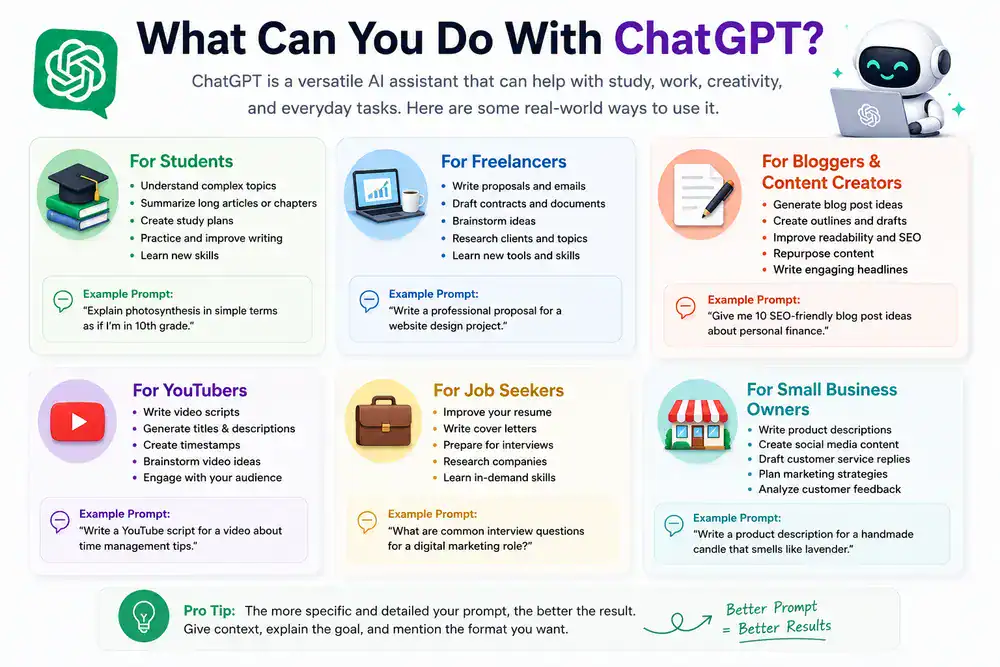
This is where things get genuinely exciting. ChatGPT is flexible enough to be useful in almost any field. Here are real-world examples for different types of users.
For Students
- Understand difficult concepts: “Explain the causes of World War I in simple terms.”
- Summarise long texts: Paste in a chapter and ask for a summary.
- Get study plans: “Create a 2-week study schedule for my chemistry exam.”
- Practice essay writing: Ask it to give feedback on your draft.
- Language learning: “Correct my Spanish paragraph and explain each mistake.”
One thing to be clear about: using ChatGPT to write your assignment for you is academic dishonesty. But using it to learn, understand, and improve your work? That’s a legitimate and powerful study tool.
For Freelancers
- Write client proposals and emails faster.
- Draft contracts or service agreements (always have a lawyer review).
- Brainstorm project ideas when you’re stuck.
- Translate content for international clients.
- Learn new skills by asking it to explain concepts or walk you through tutorials.
For Bloggers and Content Creators
- Generate blog post outlines in seconds.
- Brainstorm content ideas for any niche.
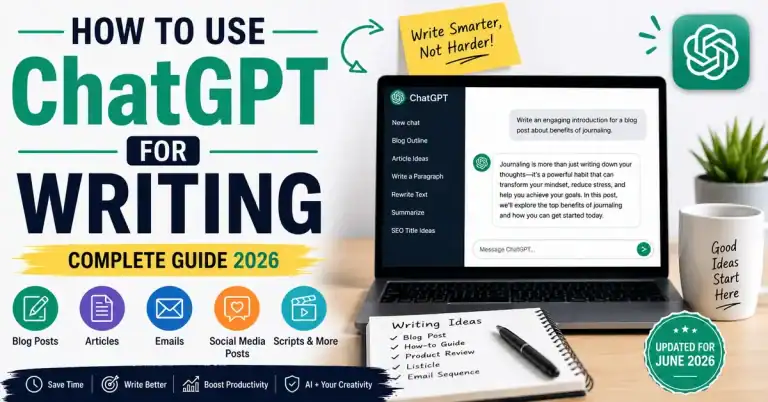
- Repurpose content — turn a blog post into social media captions, email newsletters, or video scripts.
- Improve readability — paste in a paragraph and ask it to simplify or punch it up.
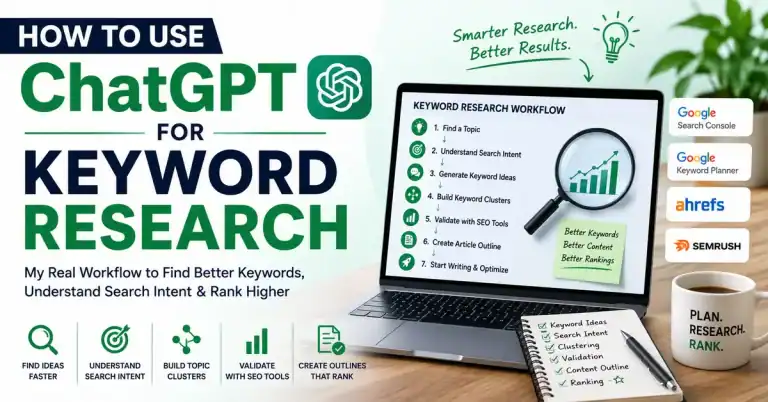
- SEO research — ask for related keywords, FAQs, or search intent analysis for a topic.
For YouTubers
- Write video scripts based on an outline you provide.
- Generate video title and description ideas optimised for YouTube SEO.
- Create chapter timestamps from your transcript.
- Write community post ideas to keep your audience engaged.
For Job Seekers
- Tailor your resume to specific job descriptions.
- Write cover letters that don’t sound generic.
- Prepare for interviews — ask ChatGPT to simulate interview questions for your role.
- Research companies before applications or interviews.
For Small Business Owners
- Write product descriptions for your website or Amazon store.
- Create social media content calendars.
- Draft customer service email templates.
- Brainstorm marketing ideas on a budget.
- Summarise customer reviews to spot patterns.
How to Use ChatGPT in Excel
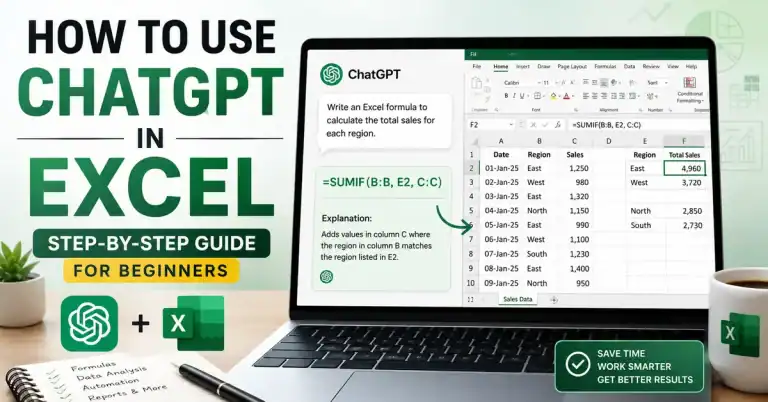
ChatGPT can help Excel users save time by generating formulas, explaining spreadsheet functions, cleaning data, and automating repetitive tasks.
For example, you can ask:
“Create an Excel formula that extracts the first name from a full name.”
or
“Explain how VLOOKUP works with a practical example.”
While ChatGPT cannot directly edit your spreadsheet, it can dramatically reduce the time required to build formulas and solve spreadsheet problems.
How to Write Better ChatGPT Prompts
The quality of ChatGPT’s response depends almost entirely on how you ask. A vague question gets a vague answer. A specific, well-structured prompt gets something genuinely useful.
The Beginner Prompt Formula
Here’s a simple structure that works for almost any task:
[Role] + [Task] + [Context] + [Format/Length]
Example:
“You are an experienced fitness coach. Write a 4-week beginner workout plan for someone who wants to lose weight and has access to a gym. Present it as a weekly table.”
This is far more useful than just saying “write me a workout plan.”
Good Prompt vs. Bad Prompt Examples
| Bad Prompt | Good Prompt |
|---|---|
| “Write an email.” | “Write a professional follow-up email to a client who hasn’t responded in two weeks. Keep it friendly and under 100 words.” |
| “Tell me about marketing.” | “Give me 5 low-cost digital marketing strategies for a small bakery targeting local customers.” |
| “Help with my essay.” | “Review this essay paragraph for clarity and grammar. Suggest specific improvements. [paste paragraph]” |
| “What’s a good business idea?” | “Suggest 3 online business ideas for someone with graphic design skills, a $500 budget, and no prior business experience.” |
The more context you give, the better the output.
Tips for Better Prompts
- Be specific about the audience. “Explain for a 10-year-old” vs. “Explain for a software engineer” gives very different results.
- Tell it the format you want. Ask for bullet points, a numbered list, a table, a paragraph, or whatever fits your need.
- Iterate. If the first response isn’t quite right, follow up: “Make it shorter,” “Make it more formal,” “Give me a different angle,” or “Add more examples.”
- Give it examples. If you want it to match a tone or style, show it a sample of what you’re going for.
My Experience Using ChatGPT Daily
Over the course of using ChatGPT pretty much daily for research, content brainstorming, productivity and new topics, one pattern stands out: people who use ChatGPT like a search engine only get a moderate answer, while people who use ChatGPT like a conversation get a great answer.

How to Use ChatGPT Effectively
Getting a decent response is easy. Getting great results consistently takes a bit more intentionality.
Treat It Like a Conversation, Not a Search Engine
ChatGPT works best when you engage with it back and forth. Ask a question, get a response, then refine. Don’t just copy the first response; push it further.
Always Verify Important Information
ChatGPT can confidently say something completely wrong. This is called a hallucination in AI terminology. For anything that matters, medical advice, legal questions, financial decisions, statistics, and news, always check the information with reliable sources before acting on it.
Use System Prompts and Context Setting
At the start of a conversation, you can set the stage: “You are a business writing coach. I’ll share drafts, and you’ll help me improve them for a corporate audience.” This kind of setup helps ChatGPT stay consistent throughout a long conversation.
Break Complex Tasks Into Steps
Instead of asking for a 2,000-word article in one go, try: “First, create an outline for an article about X.” Then: “Now write Section 1 based on that outline.” Then review and continue. This gives you more control over the output.
Save Your Best Prompts
If you find a prompt that works brilliantly for a recurring task, save it somewhere- in a notes app, a document, or a prompt library. Over time, you’ll build a personal toolkit of prompts that consistently deliver for your specific needs.
Common ChatGPT Mistakes Beginners Make
Learning from others’ mistakes saves time. Here are the most common slip-ups:
1. Accepting the first response without question. ChatGPT’s first answer is rarely its best. Ask it to improve, simplify, expand, or try a different approach.
2. Using it for real-time information. ChatGPT’s free version has a knowledge cutoff and doesn’t always browse the internet. Don’t rely on it for live news, stock prices, or recent events without verifying.
3. Prompts that are too vague. “Help me with my business” tells ChatGPT almost nothing. The more specific you are, the better your results.
4. Not providing context. If you’re asking for advice, tell it who you are, what you need, and why. Context changes everything.
5. Using it for sensitive decisions without expert review. ChatGPT can draft a legal contract template, but it is not a lawyer. Use AI as a starting point, not the final word on anything high-stakes.
6. Giving up if the first response isn’t great. Prompt engineering is a skill. If it doesn’t land, tweak your instruction and try again.
ChatGPT Free vs Paid: Which Plan Do You Need?
Here’s a clear breakdown to help you decide:
| Feature | Free Plan | ChatGPT Plus ($20/month) |
|---|---|---|
| Access to GPT-4o | Limited | Priority & faster access |
| Web browsing | Limited | Yes |
| Image generation (DALL·E) | Limited | Yes |
| File & document uploads | Limited | Yes |
| Advanced data analysis | No | Yes |
| Voice mode | Basic | Advanced |
| Custom GPTs | Limited | Full access |
| Speed during peak hours | May slow down | Priority access |
| Memory (remembers past chats) | Basic | Enhanced |
Who should use the free plan: Beginners, casual users, students experimenting with AI for the first time. It’s genuinely useful as-is.
Who should upgrade to Plus: Professionals who use ChatGPT daily, content creators who need image generation, anyone doing data analysis, and people who rely on it for work where speed and reliability matter.
Is ChatGPT Safe to Use?
This is a fair question, especially if you’re new.
Privacy: Conversations you have with ChatGPT are used by OpenAI to improve its models by default. You can opt out of this in your settings (Settings → Data Controls → Improve the model for everyone). Avoid sharing personal identifying information full name, address, financial data, passwords) In your prompts.
Accuracy: ChatGPT is not always right. It can generate plausible-sounding but factually incorrect information. Never use it as your only source for anything important.
Bias: Like all AI systems trained on human-generated content, ChatGPT can reflect biases present in that data. Approach its outputs critically.
For children: OpenAI requires users to be 13 or older (18+ or, in some regions, with parental permission). Parents should be aware of what their children are using it for.
Overall, ChatGPT is safe for everyday use as long as you use common sense, don’t share sensitive personal data, verify important information, and treat it as a tool, not an authority.
Key Takeaways
- ChatGPT is easy to start using.
- Better prompts create better answers.
- ChatGPT works on web, mobile and voice.
- It can help students, freelancers and businesses.
- Always verify important information.
- Start with the free version.
Frequently Asked Questions
How do I use ChatGPT for the first time?
Go to chat.openai.com, sign up for a free account, and type your first message in the text box. You don’t need to install anything or have technical skills. Start with a simple question or task to get a feel for it.
Is ChatGPT free?
Yes, ChatGPT has a free plan that gives you access to the GPT-4o model with some usage limits. A paid plan called ChatGPT Plus is available for $20/month and unlocks priority access, faster speeds, image generation, file uploads, and more advanced features.
What can I do with ChatGPT?
You can write emails, essays, reports, and social media posts; summarise documents; brainstorm ideas; get explanations of complex topics; learn new skills; translate content; write code; create outlines; and much more. It’s a general-purpose AI assistant with an enormous range of uses.
Can I use ChatGPT on my phone?
Yes. The official ChatGPT app is available for free on both iOS (App Store) and Android (Google Play). It supports text and voice conversations, along with many of the same features as the web version.
Is ChatGPT better than Google Search?
They serve different purposes. Google Search is better for finding specific, current, and verifiable information, especially with links to sources. ChatGPT is better for generating, explaining, analysing, and creating content. Many people use both together to search for sources, then use ChatGPT to help process and work with the information.
How can beginners use ChatGPT effectively?
Start by being as specific as possible in your prompts. Include context about who you are, what you need, and the format you want. Don’t accept the first response; follow up and refine. Use it for tasks where a first draft is helpful, then add your own expertise. And always verify anything important.
Conclusion: Start Simple, Grow From There
Don’t try to learn about ChatGPT; learn it. The best way is to use it. Today, ask it a simple question: will it help you to learn about a concept, summarise a document, brainstorm, solve a problem you have right now…
Ready to go deeper? Explore these next:
- How to Use ChatGPT Voice Mode — Have real spoken conversations with AI
- Best ChatGPT Prompts for Beginners — A starter library of prompts that work
- ChatGPT vs Gemini — Which AI assistant is right for you?
- How to Use ChatGPT in Excel — Automate spreadsheet work with AI
- How to Use ChatGPT in WhatsApp — Bring ChatGPT into your daily messaging
The best way to learn is to use it. Open a new chat and try something today.