How to Build a Custom ChatGPT Writing Voice That Doesn’t Sound Like AI
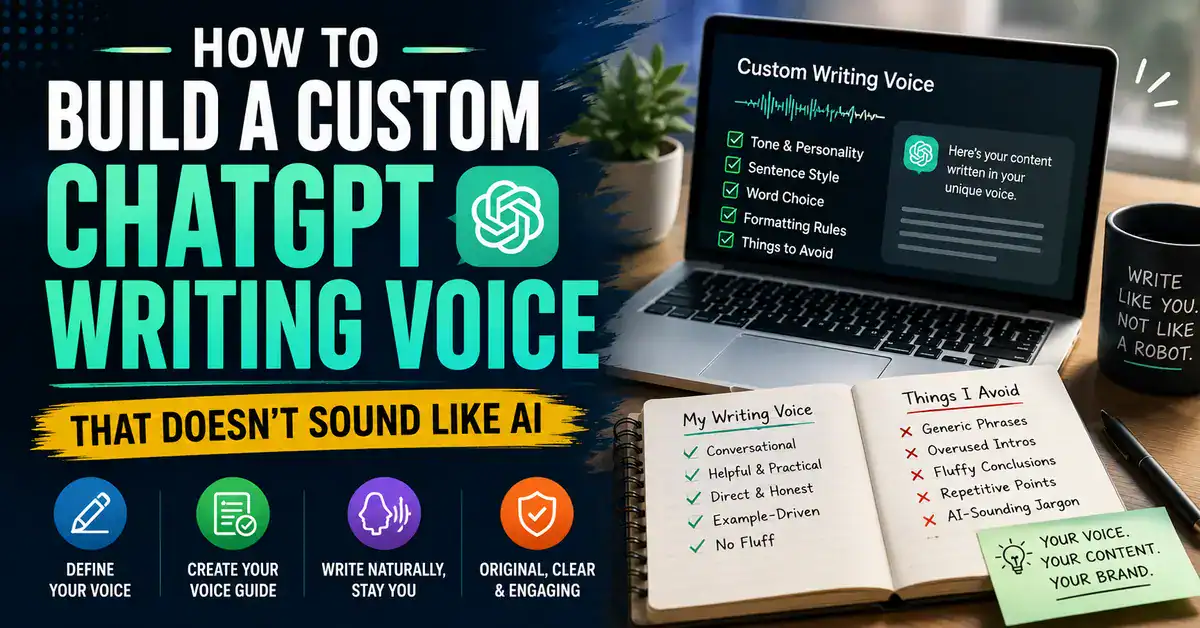
If you’ve been using ChatGPT to write blog posts and something still feels off- technically correct, reasonably polished, but not quite you- the problem may not be the prompt you’re giving it.
The bigger problem is that ChatGPT doesn’t automatically know your writing voice.
Ask it to “write naturally” or “write like a professional blogger,” and you’ll usually get something that sounds acceptable but interchangeable with thousands of other AI-generated articles.
A better approach is to build a custom ChatGPT writing voice: a documented system that tells ChatGPT how you normally write, what you prefer, what you avoid, and how you want ideas presented.
This guide shows you how to build that system using your own writing samples, a voice document, an AI-writing blacklist, a reusable master prompt, and a simple testing process.
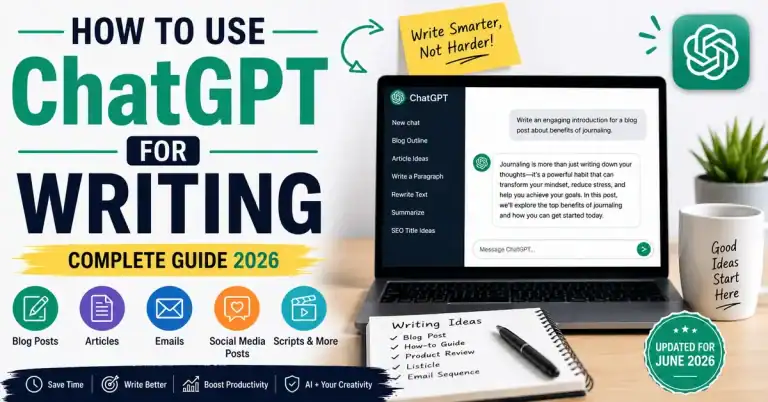
If you’re looking for a broader introduction to using ChatGPT for writing, see our guide on how to use ChatGPT for writing. This article goes one level deeper: how to make ChatGPT’s writing consistently sound more like you.
Quick Summary
- Collect 3–5 strong examples of your own writing.
- Use ChatGPT to identify the patterns that make your writing recognizable.
- Turn those patterns into a reusable Writing Voice Document.
- Create a blacklist of phrases and writing habits you don’t want.
- Combine everything into a Master Voice Prompt and test it across different content types.
What Is a Writing Voice?
Your writing voice is the combination of choices that makes your content feel like it came from you.
It includes things such as:
- Sentence rhythm: Do you prefer short, punchy sentences or longer explanations?
- Word choice: Do you use simple everyday language or more technical terminology?
- Tone: Are you conversational, analytical, direct, formal, humorous, or somewhere between?
- Opinions: Do you make clear recommendations or present several options without taking a position?
- Examples: Do you explain concepts through practical examples, personal observations, comparisons, or data?
- Formatting: Do you use short paragraphs, lists, bold text, tables, or a combination?
- Things you avoid: Filler, corporate language, excessive hedging, clichés, unnecessary definitions, or motivational language.
These details matter because “write naturally” isn’t a writing style.
It’s an instruction with almost no useful information.
The more clearly you describe your actual writing patterns, the easier it is for an AI model to reproduce the characteristics of your writing rather than falling back to generic prose.
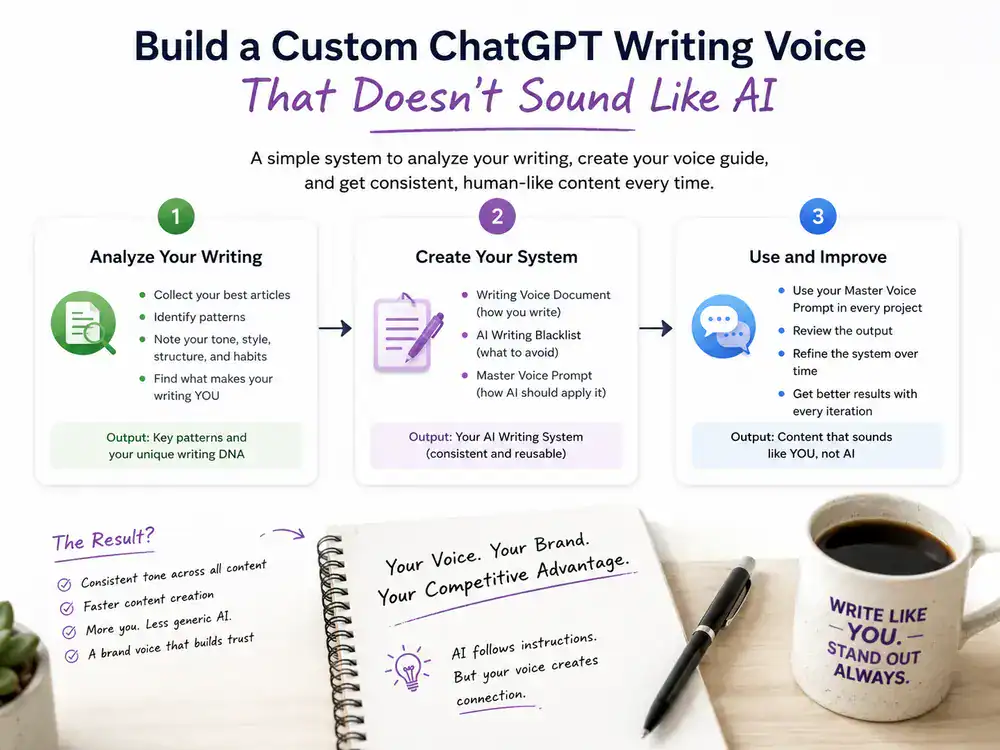
Step 1: Collect 3–5 of Your Best Writing Samples.
The first mistake people make is trying to create a writing voice prompt from scratch.
Don’t.
Start with your existing writing.
Choose 3–5 articles that genuinely sound like you.
Ideally, they should be substantial pieces rather than short social media posts.
Look for articles where:
- you like the way you explain things
- the tone feels natural
- your opinions come through
- the sentence structure feels like your normal writing
- you would be happy to publish something similar again
The samples don’t need to be perfect.
In fact, it’s better to choose writing that represents your natural style rather than something that has been heavily edited by someone else.
Before opening ChatGPT, create a folder containing your best writing samples.
Name them something simple:
- Writing Sample 1
- Writing Sample 2
- Writing Sample 3
- Writing Sample 4
- Writing Sample 5
You will use these as your reference library.
What If You Don’t Have Enough Writing?
If you’re just starting, you may not have five strong articles to analyze.
That’s fine.
Start with whatever original writing you have.
You can also use articles from writers whose style you admire as a temporary reference for understanding techniques such as:
- sentence rhythm
- paragraph length
- explanation style
- level of formality
- use of examples
But don’t try to make ChatGPT copy another writer.
The objective is to learn writing characteristics, not reproduce somebody else’s sentences or distinctive style.
As you publish more original work, replace temporary references with your own articles.
Step 2: Ask ChatGPT to Analyze Your Writing Style
Now take your first article and ask ChatGPT to analyze it.
Don’t simply say:
“Analyze my writing style.”
That usually produces a shallow answer.
Give it specific things to examine.
Copy and paste this prompt into ChatGPT:
Read the following article carefully and analyze its writing style.
Identify:
- Sentence length and rhythm
- Tone and level of formality
- Common word choices and expressions
- How the author explains concepts
- How the author expresses opinions and recommendations
- How the author uses examples
- What the author avoids
- Paragraph length and structure
- How transitions are handled
- Formatting habits, including lists, bold text, tables, and headings
- Then create a detailed Writing Voice Profile that another writer or AI
- could use to reproduce these characteristics without copying the article.
Then create a detailed Writing Voice Profile that another writer or AI
could use to reproduce these characteristics without copying the article.
Focus on recurring characteristics rather than individual sentences.
Article:
[PASTE YOUR ARTICLE HERE]
Why This Prompt Works
The important part is the instruction:
“Focus on recurring characteristics rather than individual sentences.”
You don’t want ChatGPT memorizing interesting phrases from your article.
You want it to identify patterns.
For example, it might discover that you:
- use short introductory paragraphs
- explain technical concepts with simple examples
- prefer direct recommendations
- use headings frequently
- avoid overly formal language
- mix short and medium-length sentences
Those are useful writing instructions.
A sentence like:
“Unlock the full potential of your content strategy…”
isn’t.
Step 3: Analyze Your Other Writing Samples
Repeat the process with your other articles.
Don’t immediately combine everything.
Analyze each sample separately first.
You might end up with something like:
Sample 1: Conversational, short paragraphs, direct recommendations.
Sample 2: More analytical, uses comparisons heavily.
Sample 3: Short sentences, lots of examples.
Sample 4: Strong opinions but more technical vocabulary.
That’s useful because you’re beginning to see which characteristics are actually consistent.
Step 4: Create One Unified Writing Voice Document
Now take those individual analyses and ask ChatGPT to identify recurring patterns.
Copy and paste this prompt into ChatGPT:
Here are several writing voice analyses from the same author.
Compare them and identify the characteristics that consistently appear
across the samples.
Ignore characteristics that appear only once.
Create one unified Writing Voice Document that describes:
- Tone
- Sentence rhythm
- Vocabulary
- Paragraph structure
- Explanation style
- Use of examples
- Opinions and recommendations
- Formatting preferences
- Transitions
- Things the writer consistently avoids
Separate strong recurring characteristics from weaker or occasional
characteristics.
Do not copy sentences or distinctive phrases from the original articles.
The final document should be specific enough to guide an AI writer,
but flexible enough to work across different topics.
Aim for approximately 400–600 words.
Save the result as:
My Writing Voice Document
This becomes the foundation of your system.
Step 5: Create an AI Writing Blacklist
Now comes one of the most useful parts.
Most people only tell ChatGPT what they want.
You should also tell it what you don’t want.
AI models frequently produce certain phrases and structural patterns because they are common in online writing.
That doesn’t mean using one of these phrases proves something was AI-generated.
The problem is repetition.
If your articles repeatedly use the same generic expressions, your writing can start feeling formulaic.
Examples of Generic Openings
You may want to avoid phrases such as:
- “In today’s digital landscape…”
- “In today’s fast-paced world…”
- “In this comprehensive guide…”
- “Are you looking to…?”
- “Whether you’re a beginner or an expert…”
Generic Transitions
You might also find these unnecessary:
- “It’s worth noting that…”
- “That being said…”
- “With that in mind…”
- “Let’s dive in!”
- “Without further ado…”
Inflated Marketing Language
Depending on your niche, you may want to limit phrases such as:
- “Game-changing”
- “Revolutionary”
- “Transformative”
- “Unlock the power of…”
- “Take your business to the next level”
But don’t blindly ban every phrase on these lists.
Your blacklist should be based on what actually makes your writing feel generic.
Your Blacklist Should Include Patterns, Not Just Words
This is more powerful.
For example, you might discover that ChatGPT repeatedly:
- starts every section with a definition
- uses the same three-item list structure
- repeats the article title in the introduction
- adds motivational conclusions
- uses “Now that you understand…” transitions
- repeats the same point in different words
- uses too many bullet lists
- adds unnecessary “pros and cons” sections
Add those behaviors to your blacklist.
Don’t create a huge list of banned phrases just because you’ve seen them on the internet.
Some supposedly “AI phrases” are perfectly normal English.
The objective isn’t to make your content pass an AI detector.
The objective is to make your writing specific, useful, and recognizably yours.
Step 6: Build Your Master Writing Voice Prompt
Now combine your Writing Voice Document and blacklist into one reusable prompt.
Copy and paste this prompt into ChatGPT:
Before writing anything, read and apply this writing voice brief.
WRITING VOICE
[PASTE YOUR WRITING VOICE DOCUMENT HERE]
TONE
- Conversational but not overly casual.
- Direct without being blunt.
- Explain things like you’re helping an intelligent reader solve a real problem.
- Make clear recommendations when the evidence supports them.
- Avoid corporate and promotional language.
SENTENCE STYLE
- Mix short and medium-length sentences.
- Avoid unnecessarily long sentences.
- Keep paragraphs reasonably short.
- Use simple language when technical language isn’t necessary.
- Explain technical terms when the reader may not know them.
WRITING BEHAVIOR
- Start with the reader’s actual problem.
- Use practical examples.
- Explain why something matters, not just what it is.
- Prefer specific recommendations over vague advice.
- Avoid repeating the same idea.
- Don’t add filler to make the article longer.
BANNED PHRASES AND PATTERNS
[PASTE YOUR PERSONAL BLACKLIST HERE]
FORMATTING
[ADD YOUR PREFERRED HEADING, LIST, TABLE, BOLD AND OTHER FORMATTING RULES]
IMPORTANT
Do not copy wording from my reference articles.
Learn the underlying characteristics of my writing and apply them to
original content.
When information is uncertain or current facts may have changed,
verify them before making a definitive claim.
Now write:
[YOUR ACTUAL CONTENT REQUEST]
This becomes your Master Writing Voice Prompt.
Step 7: Give ChatGPT Actual Writing Examples
Your voice document tells ChatGPT your style.
But examples can make the instruction much easier to apply.
This is where a before-and-after example becomes useful.
Suppose you’re writing about internal linking.
Generic AI Style vs. A More Natural Writing Voice
Generic AI style:
Developing a unique writing voice is an important part of creating high-quality content. A strong writing voice can help your content stand out, connect with your audience, and create a consistent brand identity.
There’s nothing technically wrong with it.
But it could have been written for almost any website.
It doesn’t tell the reader much about the person behind the content, and the language is broad enough to fit almost any article.
Now compare it with a more direct approach:
Your writing voice isn’t something you need to invent from scratch.
Look at the articles you’ve already written. You’ll probably notice patterns in the way you explain things, the words you use, how long your sentences are, and even the types of examples you prefer.
That’s what ChatGPT needs to learn.
You’re not asking it to copy your old articles. You’re teaching it to recognize the patterns that make those articles sound like you.
The second version feels more specific and conversational.
It starts with a clear point.
It uses shorter sentences for emphasis.
It explains the idea through the reader’s existing writing rather than making a generic statement about “high-quality content.”
That’s the difference your Writing Voice Document should help ChatGPT reproduce.
Step 8: Tell ChatGPT How to Use Your Voice
There’s an important distinction here.
You don’t want ChatGPT thinking:
“I need to copy the sentences in this person’s articles.”
You want it thinking:
“I need to use the same underlying writing characteristics.”
That’s why your prompt should explicitly say:
Copy and paste this prompt into ChatGPT:
Use my writing samples only to understand my writing characteristics.
Do not copy sentences, phrases, examples, metaphors, conclusions,
or distinctive wording from the samples.
Instead, reproduce the underlying characteristics:
- Tone
- Sentence rhythm
- Vocabulary level
- Paragraph length
- Explanation style
- Degree of directness
- Use of examples
- Opinion style
- Formatting preferences
The information and examples in the new article must be original and
appropriate to the new topic.
This is particularly important if you’re building a large website.
You want consistent voice, not duplicated language.
Step 9: Test Your Custom Writing Voice
Creating the prompt isn’t the end.
It’s the beginning of testing.
Use your new system to create several different types of content:
- A how-to article
- A listicle
- An opinion piece
- A product comparison
- A short introduction
- A conclusion
Then read the outputs together.
Ask:
Does this sound like my website?
Not:
“Does this sound human?”
That’s a much better test.
Check for:
- generic introductions
- repeated phrases
- unnatural sentence structures
- excessive hedging
- unnecessary conclusions
- too many bullet points
- weak opinions
- missing examples
- inconsistent tone
- repetitive explanations
Step 10: Fix Patterns Instead of Individual Sentences
Suppose ChatGPT keeps ending your articles with:
“Now go out there and start implementing these tips!”
You could delete that sentence every time.
But that’s inefficient.
Fix the underlying problem.
Add this to your Master Voice Prompt:
Copy and paste this prompt into ChatGPT:
Do not end articles with generic motivational calls to action.
End with a useful summary, practical recommendation, clear conclusion,
or final insight that is directly related to the reader’s problem.
Do not use phrases such as:
“Now go out there…”
“Take your strategy to the next level…”
“Start implementing these tips today…”
unless they are genuinely appropriate to the context.
Now you’ve solved the problem at the system level.
Step 11: Make Your Writing Voice Easier to Reuse
Once you’ve created the system, don’t keep rebuilding it from scratch.
Save these three things:
1. Writing Voice Document
This is your reference document describing how you naturally write.
2. AI Writing Blacklist
This contains the words, phrases, habits, and writing patterns you don’t want AI to use.
3. Master Voice Prompt
This is the reusable instruction that tells ChatGPT how to apply your writing voice and follow your blacklist.
Keep all three together so you can reuse the system whenever you start a new content project.
My AI Writing System/
│
├── 01 – Writing Voice Document
├── 02 – AI Writing Blacklist
└── 03 – Master Voice Prompt
Then add:
For example, when you start a new blog, YouTube script project, or content workflow, you don’t have to recreate your writing instructions from scratch. You can reuse the same foundation and adapt it when necessary.
Step 12: Use ChatGPT Projects for Long-Term Content Work
If you’re producing a large amount of content, keeping your writing resources together can make the workflow easier.
OpenAI describes Projects in ChatGPT as workspaces where you can keep files, instructions, and conversations together. Projects are available to free and paid users, although specific capabilities can vary by plan.
For example, you could create:
Project: My Content
Then keep:
- Writing Voice Document
- Master Voice Prompt
- Best writing samples
- Editorial guidelines
- Content research
- Other reference documents
This gives you a central place for your ongoing writing workflow instead of rebuilding the same context every time.
Step 13: Use Custom Instructions for Your Baseline Preferences
ChatGPT’s Custom Instructions can also be used to provide general information about you and your response preferences. OpenAI says Custom Instructions are available on the web, desktop, iOS, and Android.
For example:
What should ChatGPT know about you?
Copy and paste this prompt into ChatGPT:
I write practical articles for my website.
My audience is interested in technology, AI, blogging, SEO, and online
business.
I prefer clear explanations, practical examples, and specific
recommendations.
My content should be useful rather than unnecessarily long.
How should ChatGPT respond?
Copy and paste this prompt into ChatGPT:
Write in a direct, practical, and conversational style.
Use short and medium-length sentences.
Avoid corporate language, filler, and generic motivational statements.
Use practical examples where useful.
Don’t repeat the same idea in different words.
Prefer specific recommendations over vague advice.
Follow my Writing Voice Document when one is provided.
Custom Instructions are useful as a baseline.
For serious article production, however, a dedicated voice document and article-specific instructions give you much more control.
Step 14: Don’t Try to Make AI Writing “Undetectable”
This is an important distinction.
A custom writing voice should not be built around trying to fool AI detectors.
That’s the wrong target.
Your objective should be:
Useful information + original thinking + your expertise + your writing voice + human editorial judgment.
A voice prompt can’t replace:
- experience
- opinions
- examples
- research
- fact-checking
- editing
- expertise
Think of the prompt as a style guide for your AI assistant, not a replacement for you.
Step 15: Update Your Writing Voice Over Time
Your writing will change.
That’s normal.
The way you write today may not be identical to the way you write two years from now.
So your Voice Document shouldn’t be treated as permanent.
Review it whenever:
- your writing style changes
- your audience changes
- you change your editorial direction
- AI output starts feeling repetitive
- you introduce a new content format
- you notice recurring mistakes
Update the document with new examples and remove rules that no longer apply.
Your writing voice should evolve with your website.
How to Reset ChatGPT When the Writing Starts Drifting
Long conversations can sometimes move away from your preferred style.
Instead of correcting every paragraph manually, reset the writing instructions.
Copy and paste this prompt into ChatGPT:
Quick writing-voice reset.
Re-read and re-apply the Writing Voice Document and Master Voice Prompt
from this conversation.
Prioritize:
- My documented tone
- Sentence rhythm
- Vocabulary preferences
- Paragraph structure
- Explanation style
- Formatting preferences
- Banned phrases and patterns
Continue writing only after applying those rules.
Do not change the underlying information or search intent.
Only bring the writing style back into alignment.
This is especially useful when working on long articles or multi-article projects.
A Practical Custom ChatGPT Writing Voice Workflow
You don’t need a complicated system.
Here’s the complete process:
Step 1: Collect 3–5 articles that sound like you.
↓
Step 2: Analyze each article.
↓
Step 3: Combine the recurring characteristics into a Writing Voice Document.
↓
Step 4: Create an AI Writing Blacklist.
↓
Step 5: Combine both into a Master Voice Prompt.
↓
Step 6: Test the prompt on different content formats.
↓
Step 7: Identify recurring problems.
↓
Step 8: Add rules that solve those problems.
↓
Step 9: Save the system for future articles.
↓
Step 10: Review and update your voice every few months.
Don’t spend an entire day trying to perfect your voice prompt.
Start with three good articles, create a basic Voice Document, and test it.
You’ll learn more from reviewing the output than from endlessly adding instructions to the prompt.
Common Mistakes When Building a ChatGPT Writing Voice
1. Using “Write Like Me” as the Entire Instruction
That’s too vague.
ChatGPT needs actual information about what “like me” means.
Give it examples and specific characteristics.
2. Giving It Only One Article
One article can contain unusual characteristics that aren’t representative of your normal style.
Three to five samples give you a much stronger baseline.
3. Copying Your Old Sentences
Your goal is consistency, not duplication.
Tell ChatGPT to learn the underlying characteristics instead.
4. Creating an Extremely Long Prompt
More instructions don’t automatically mean better writing.
Keep your core voice rules clear and useful.
5. Trying to Eliminate Every AI-Sounding Phrase
Don’t obsess over individual words.
Fix the larger patterns:
- generic explanations
- repetitive structure
- lack of opinions
- unnecessary filler
- predictable conclusions
6. Never Updating the Voice Document
Your writing evolves.
Your AI writing system should evolve with it.
Frequently Asked Questions
Can I use the same writing voice prompt with Claude or Gemini?
Yes.
The underlying Voice Document is portable because it describes your writing characteristics rather than a specific AI model.
You may need to adjust the instruction format for different models, but the core information can remain the same.
How long should a Master Voice Prompt be?
There is no fixed ideal length.
It should contain enough information to describe the characteristics that matter without burying the actual content request.
A 400–600-word Voice Document is a useful starting point, but your final Master Prompt can be shorter or longer depending on your needs.
Will a custom voice prompt completely stop ChatGPT from sounding like AI?
No.
It can make the output more consistent with your preferred style and reduce generic writing patterns, but it cannot guarantee that every sentence will sound exactly like you.
Your own editing, expertise, and examples still matter.
Does this work with the free version of ChatGPT?
Yes. OpenAI currently says Custom Instructions are available across ChatGPT plans, while Projects are also available to free and paid users, although individual capabilities can vary by plan.
How often should I update my writing voice prompt?
Review it every few months or whenever you notice that your AI-assisted writing no longer resembles your current work.
You don’t need to rewrite everything.
Usually, a few targeted changes are enough.
Final Takeaway
A custom ChatGPT writing voice isn’t a magic prompt.
It’s a system.
Start with your best writing samples. Analyze the patterns that make your writing recognizable. Turn those patterns into a Voice Document. Create a blacklist for the habits you dislike. Combine everything into a reusable Master Voice Prompt.
Then test it.
When ChatGPT makes the same mistake repeatedly, don’t keep fixing the sentence manually. Improve the system.
That approach gives you something much more useful than a collection of random prompts: a repeatable AI-assisted writing workflow that becomes better as you use it.
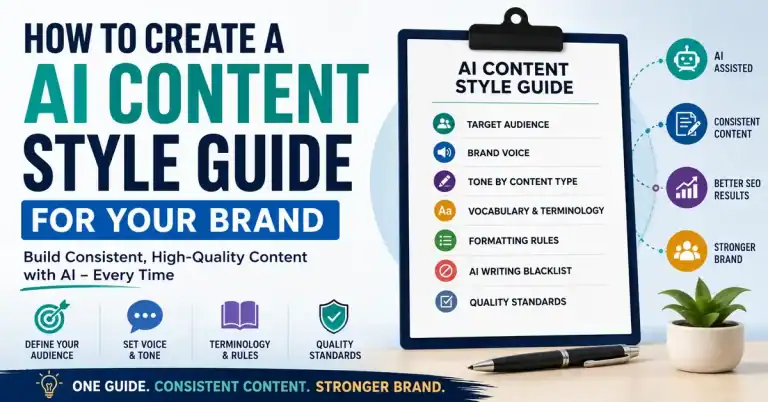
And once you’ve documented your writing voice, you can take the next step and turn it into a broader AI content style guide covering tone, formatting, terminology, content standards, and brand consistency across your entire website.